FREE Express Shipping On Orders €200
Currency

Think of a pre-configured Point-to-Point (PtP) Wi-Fi bridge as an invisible, ultra-fast Ethernet cable running through the air.
Instead of burying wires underground or running cables across hundreds of feet, these kits use directional wireless signals to connect two distant locations to the exact same network. Because they come "pre-configured" out of the box, they are essentially plug-and-play.
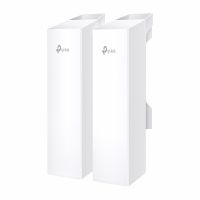
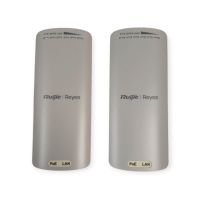
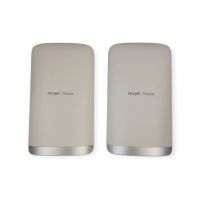
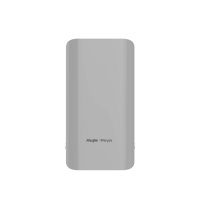
A standard kit comes with two main outdoor antennas (often called bridges, nodes, or CPEs).
The Sender (Access Point): This unit connects directly to your main internet router via a standard network cable. Its job is to take your internet connection and broadcast it as a highly focused, narrow beam of wireless data.
The Receiver (Station): Placed at the remote location (like a garage, shed, or guest house), this unit faces the sender. It catches that narrow wireless beam and converts it back into a wired internet connection.
Because these kits are pre-configured, the hard technical work is already done for you. The manufacturer has already programmed the two units to talk only to each other using a secure, private wireless channel.
Here is how the data actually flows:
Step 1: The Input – You plug an Ethernet cable from your home router into the Power over Ethernet (PoE) adapter, and then into the Sender unit mounted outside.
Step 2: The Beam – The Sender shoots a narrow, directional wireless signal straight out. Unlike a home router that broadcasts Wi-Fi in all directions to cover a house, a PtP bridge focuses 100% of its energy in a straight line, like a beam.
Step 3: The Catch – The Receiver unit mounted on the remote building catches this beam. Because the beam is so focused, it can travel hundreds of metres (or even kms) without losing signal.
Step 4: The Output – You run an Ethernet cable from the Receiver unit inside the remote building.
Once the internet signal arrives at the remote building via the Receiver, it is just a wired internet connection. Since the bridge units are just acting as a "cable," you will need a way to distribute that internet inside the new building.
You can plug that final Ethernet cable into:
A laptop or desktop computer directly.
A network switch to connect multiple wired devices (like security cameras).
A standard Wi-Fi router or Access point to create a fresh Wi-Fi zone inside the second building for your phone, tablet, and smart devices.
For this technology to work perfectly, the two units require a clear, unobstructed line of sight.
Because they use high-frequency wireless beams, they cannot easily punch through solid objects. Trees, heavy foliage, neighboring roofs, or metal buildings blocking the direct path between the two antennas will degrade or entirely block the signal. If the two units can "see" each other, you will get speeds almost as fast as if you were sitting right next to your main home router.