FREE Express Shipping On Orders €200
Currency

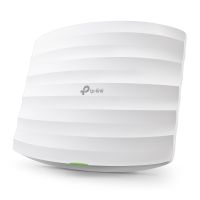
When you need to blanket a large home or property with seamless Wi-Fi, you will generally choose between two major technologies: Traditional Access Points (APs) or a Wi-Fi Mesh Kit.
While both systems allow you to walk around your property without manually dropping and reconnecting to different Wi-Fi names, they handle data behind the scenes quite differently.
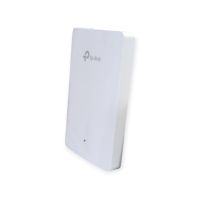
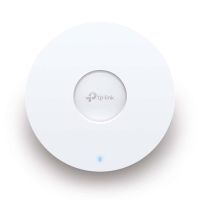
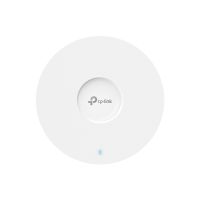
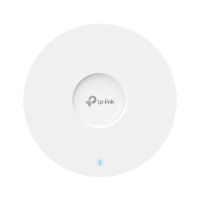
Access Points: Every single Access Point is plugged directly into your main router via a dedicated physical Ethernet cable. This direct connection improves speeds as there is no added steps to get back to your router.
Wi-Fi Mesh Kits: Only the main Mesh node plugs into your router. The other nodes sit around your house unplugged from data cables, catching the Wi-Fi signal out of the air and passing it along to the next node, and finally to the router. The data is handed over to each node to get back to the router reducing speeds but still ensures broad wi-fi coverage.
Maximum, Uncompromised Speed: Because every AP has a dedicated Gigabit (or faster) wire running back to the router, you get 100% of your internet speed at every location. There is zero wireless loss.
Rock-Solid Reliability: Wired connections do not suffer from wireless interference from walls, microwaves, or mirrors. Your connection remains completely stable.
Massive Device Capacity: Perfect for smart homes with dozens of devices or businesses with heavy traffic. APs can easily manage hundreds of concurrent connections without choking.
Power over Ethernet (PoE): APs are powered through the same network cable that carries data. This means you can mount them cleanly on ceilings or ethernet wall plates where there are no power outlets.
Difficult Installation: You have to physically run Ethernet cables through your walls, attic, or crawlspaces from your router to every single AP location. This often requires a professional installer.
Higher Upfront Cost: True AP systems usually require you to buy a separate router, a PoE switch to power the lines, and the APs themselves, making them more expensive initially.
Incredibly Easy Setup: No need to run wires through your walls. You plug the main unit into your router, place the other nodes in open spaces around your house, plug them into standard wall outlets, and sync them using a smartphone app.
Highly Flexible: If you find a dead zone in your kitchen or garage, you can simply buy one more matching mesh node, plug it into a nearby power outlet, and your coverage instantly expands.
Aesthetic & Consumer Friendly: Mesh nodes are designed to look like neat, unobtrusive little boxes or cylinders that sit cleanly on a shelf or kitchen counter without ugly visible antennas.
The "Hop" Penalty (Speed Drop): Because the beacon nodes repeat the signal wirelessly, they lose a chunk of their maximum potential speed just talking back to the main router. If you chain 3 nodes together, the furthest node will be significantly slower than the first.
Node Placement is Tricky: If you put a mesh node exactly in a Wi-Fi dead zone, it will just repeat a weak, broken signal. You have to place nodes halfway between the router and the dead zone so they can catch a strong signal to pass along.
Prone to Interior Obstacles: Heavy concrete walls or thick insulation will heavily degrade the wireless link between the mesh nodes.
|
Feature |
Access Points (APs) |
Wi-Fi Mesh Kit |
|
Backhaul Connection |
Physical Ethernet Cable (100% wired) |
Wireless Signals (Relays through the air) |
|
Installation Difficulty |
High (If new cable runs are required) |
Very Low (Plug into a power outlet and use an app) |
|
Performance/Speed |
Maximum speed, lowest latency |
Medium speed, slightly higher latency |
|
Best For... |
New builds, large smart homes, offices, outbuildings |
Renters, existing homes where running wires is impossible |
Choose Access Points if: You are building or renovating a home (wire it while the walls are open) or you have a gigabit-speed internet plan you want to fully utilize everywhere.
Choose a Wi-Fi Mesh Kit if: You rent your home and cannot drill holes in the walls, you have a standard internet speed plan (under 500 Mbps), and you simply want a quick, 15-minute DIY solution to get rid of Wi-Fi dead zones away from your router.